Workspace & Access Control
Org, department, project, and user hierarchy with 4-tier role-based access control, 5-level asset visibility, scope-based filtering, and full admin dashboards with CSV export and PDF reporting.
Complete User & Role Management
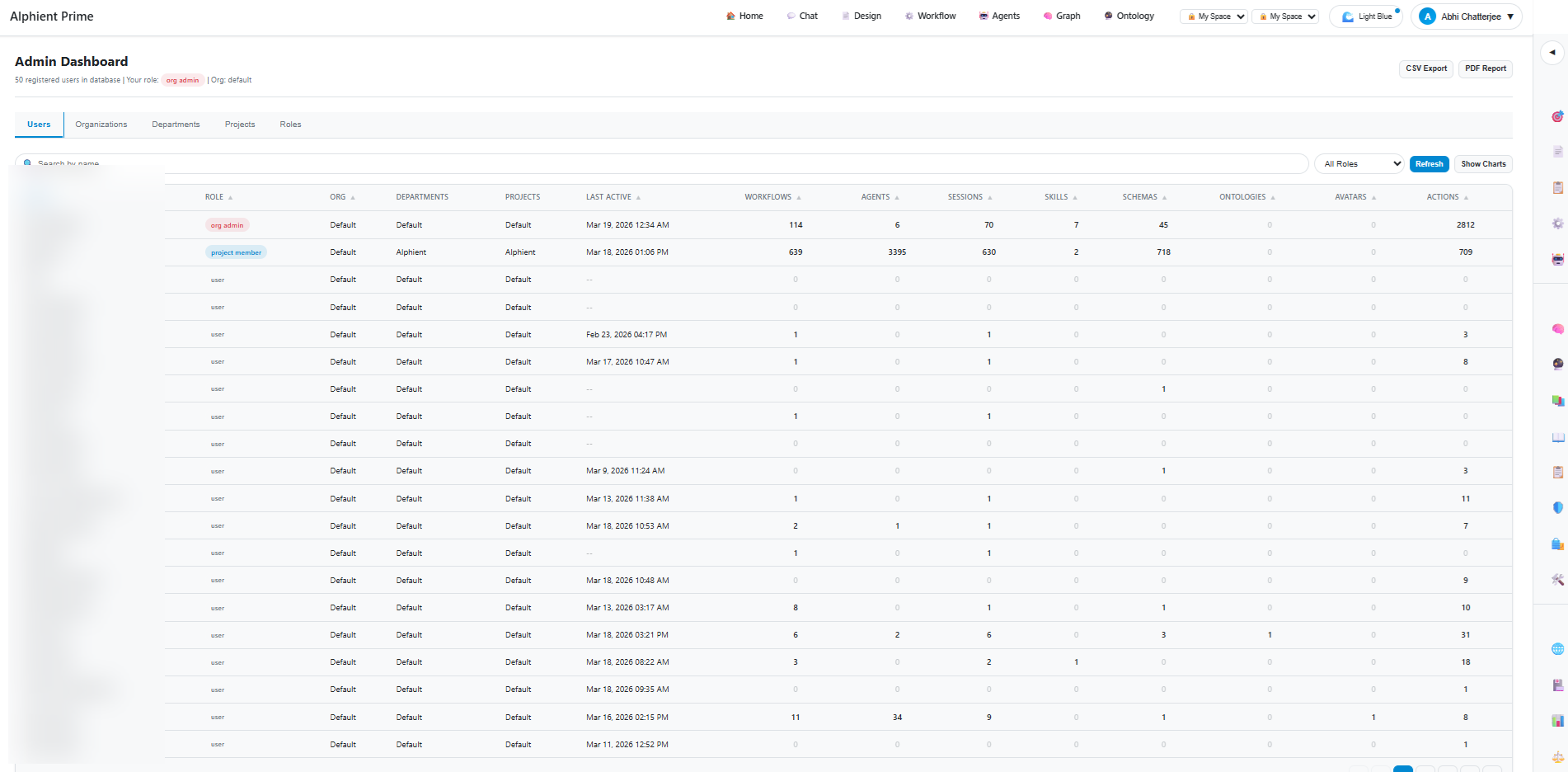
50+ users across organisations, departments, and projects — each with tracked workflows, agents, sessions, skills, schemas, and ontologies.
Org → Department → Project → User
A structured hierarchy that mirrors how enterprises actually organise their teams and work.
4-Tier Roles, 5-Level Visibility
4-Tier Role System
Each user is assigned one of four roles that determine what they can do across the platform.
- Org Admin — Full platform control, user management, global settings
- Project Member — Create & manage assets within assigned projects
- User — Standard access, create personal assets, view shared resources
- Viewer — Read-only access to permitted assets and dashboards
5-Level Asset Visibility
Every asset (workflow, agent, tool, skill, ontology) has a visibility level controlling who can see and use it.
- Own — Only the creator can see and use
- Project — Visible to all members of the same project
- Department — Shared across the entire department
- Organisation — Available to everyone in the org
- Global — System-wide, admin-managed assets
Complete Administrative Control
User Management
50+ users with full activity tracking — workflows created, agents deployed, sessions run, skills assigned, schemas built, ontologies managed. Search, filter by role, and export.
Role Assignment
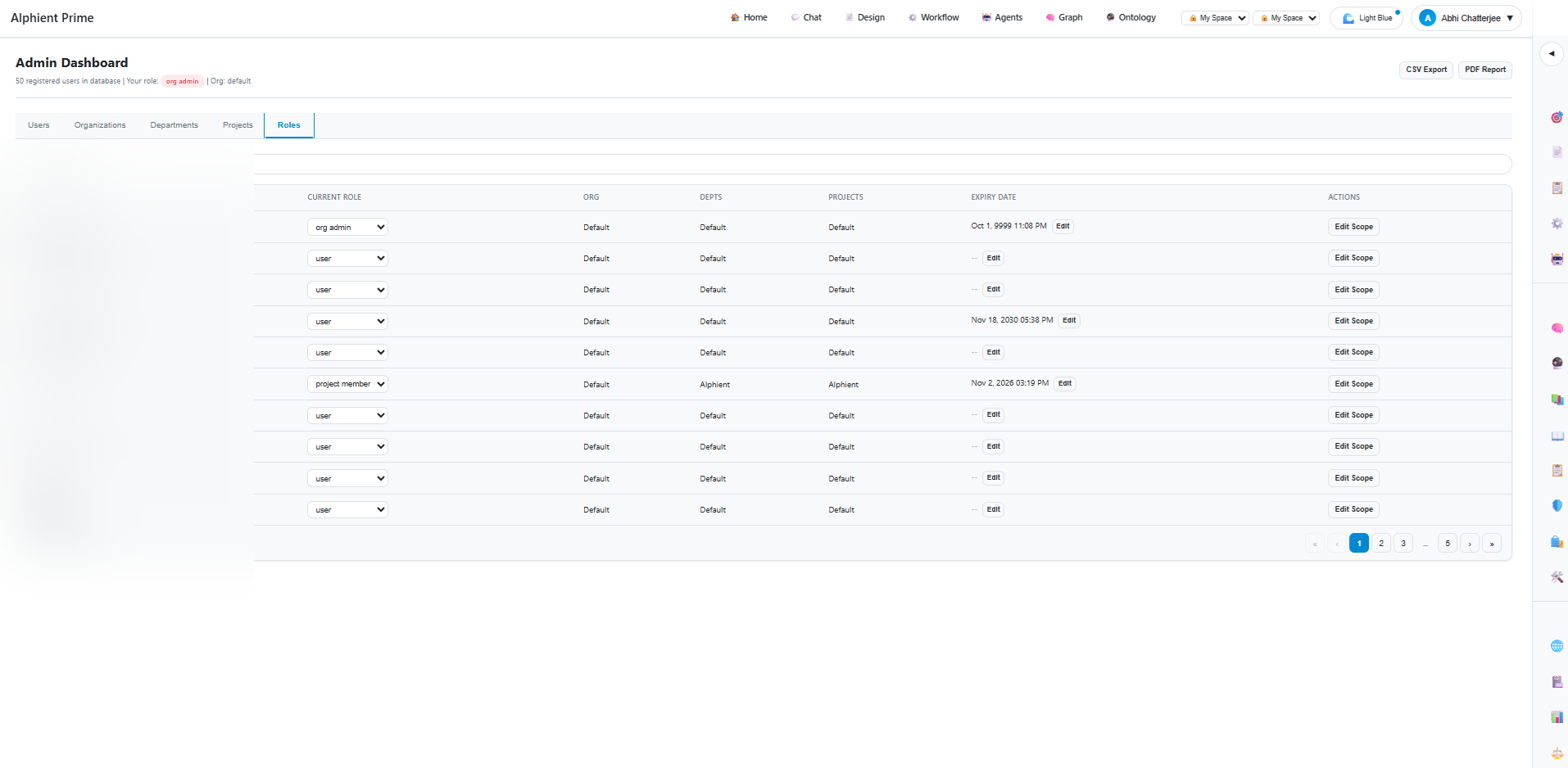
Assign and change roles via dropdown. Set role expiry dates for temporary access. Edit scope to control which departments and projects a user can access.
Org & Dept Management
Create and manage organisations, departments, and projects. Assign users to multiple departments and projects. Cross-team collaboration with scoped visibility.
CSV Export & PDF Reports
Export user lists, activity metrics, and role assignments as CSV. Generate formatted PDF reports for governance reviews and compliance documentation.
Expiry & Lifecycle
Set role expiry dates for contractors and temporary team members. Automatic access revocation when roles expire. Full audit trail of role changes.
Activity Analytics
Per-user activity metrics: workflows, agents, sessions, skills, schemas, ontologies, avatars, and total actions. Identify most active users and underutilised accounts.
Scope-Based Asset Filtering
Every query, every listing, every search — automatically filtered by the user's scope. No post-processing, no leaks.
Query-Level Filtering
RBAC visibility applied at the database query level, not as a post-filter. Users physically cannot retrieve assets outside their scope — even via API.
Scope Tags
Every asset is tagged with org_id, dept_id, project_id, and created_by. Scope tags are immutable and set at creation time, ensuring consistent access control.
Cross-Project Sharing
Promote assets from project to department or org visibility. Share workflows, tools, and skills across teams without duplicating assets.
Enterprise-Grade Access Control
See how Alphient's workspace and RBAC system governs access across your entire AI platform.